
Tips: Optimizing Your Datastreamer Usage
This guide outlines the best practices to optimization of costs at various levels of usage.
Usage-based pricing means direct price to value. It also means that it is important for you to:
- Predict and forecast usage.
- Ensure your data volumes fit within your budget.
- Take advantage of Pipeline capabilities to optimize value for dollar.
Below are a number of tips to help you understand and optimize your usage using Datastreamer.
Tip 1: Integrate the right sources and enrichments for the use case
With your pipelines are running on Datastreamer, you are not vendor-locked to any specific data source provider, model, or enrichments within your data workflows.
By using the right combination of sources, you can use multiple providers even within the same data stream. This allows you to increase functionality while managing latency, costs, and coverage requirements. Selecting the right providers for a query can be set as part of your workflow, or automated using Auto Sources.
Potential Savings: 20-60%
Tip 2: Lock in a "commit" of expected usage volumes to take advantage of volume discounts.
The more you use different data sources, enrichments, and your pipelines, the more you can save. Unit costs (measured in Data Volume Units) can decrease as your volumes increase if you pre-commit to an expected volume in that month.
You can think of "Commits" as locking in a better rate for the month, in anticipation of projected usage.
Not only does this decrease your additional usage, but it also discounts all your usage up to that commitment. For example, with the platform costs alone:
| Increase in Volume | Posts per month | Unit Cost (per 100 Posts) | Cost Savings |
|---|---|---|---|
| 1x | 500,000 | 0.12 | - |
| 2x | 1,000,000 | 0.094 | 22% Savings |
| 100x | 5,000,000 | 0.057 | 53% Savings |
| 1000x | 500,000,000 | 0.013 | 90% Savings |
You can apply commits of different levels to different sources, enrichments, and platform elements; allowing you to right-size your cost optimizations.
Potential Savings: Up to 90%
Tip 3. Use Job Tagging To Get Detailed Cost Data
Billing tags are a powerful feature that allows you to categorize and filter pipeline usage data for detailed cost analysis. By adding billing tags to your pipeline jobs, you can track costs at a more granular level, such as by department, project, client, or environment.
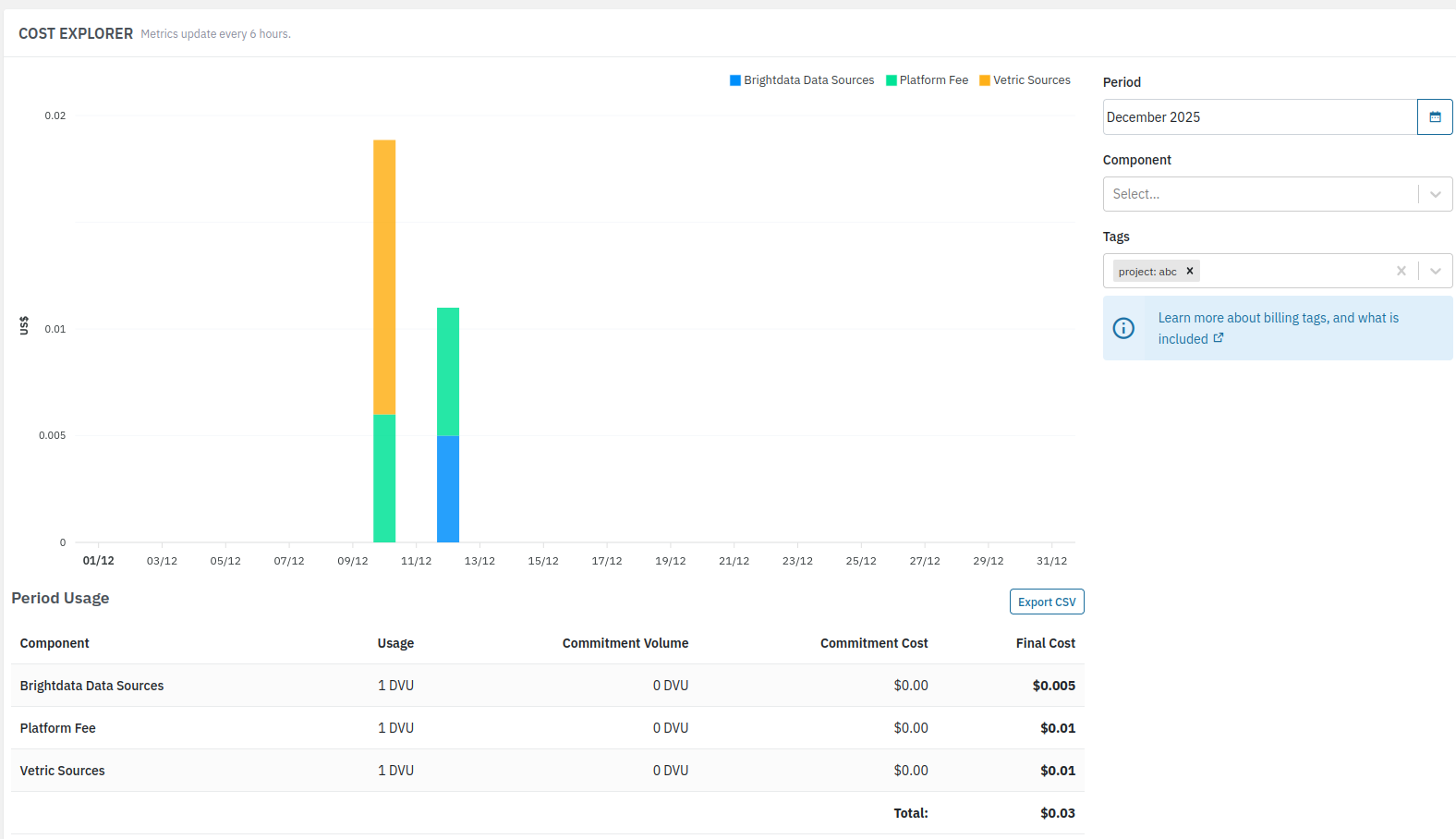
Job tagging allows you to set tags within each Job you create. You can then use those tags within billing as filter, this gives a breakdown of billing costs by each tag.
Using the Job tagging gives an extremely detailed insights, and some organizations even use this functionality for customer-focused billing.
Tip 4: Use the Add-On Estimator to plan your usage and your costs.
The Add-On estimator (available within your Portal account), gives you the ability to project and estimate your future billings. In addition, putting in existing usages into the estimator will also suggest different commitment levels which you are use for your Tip #2.
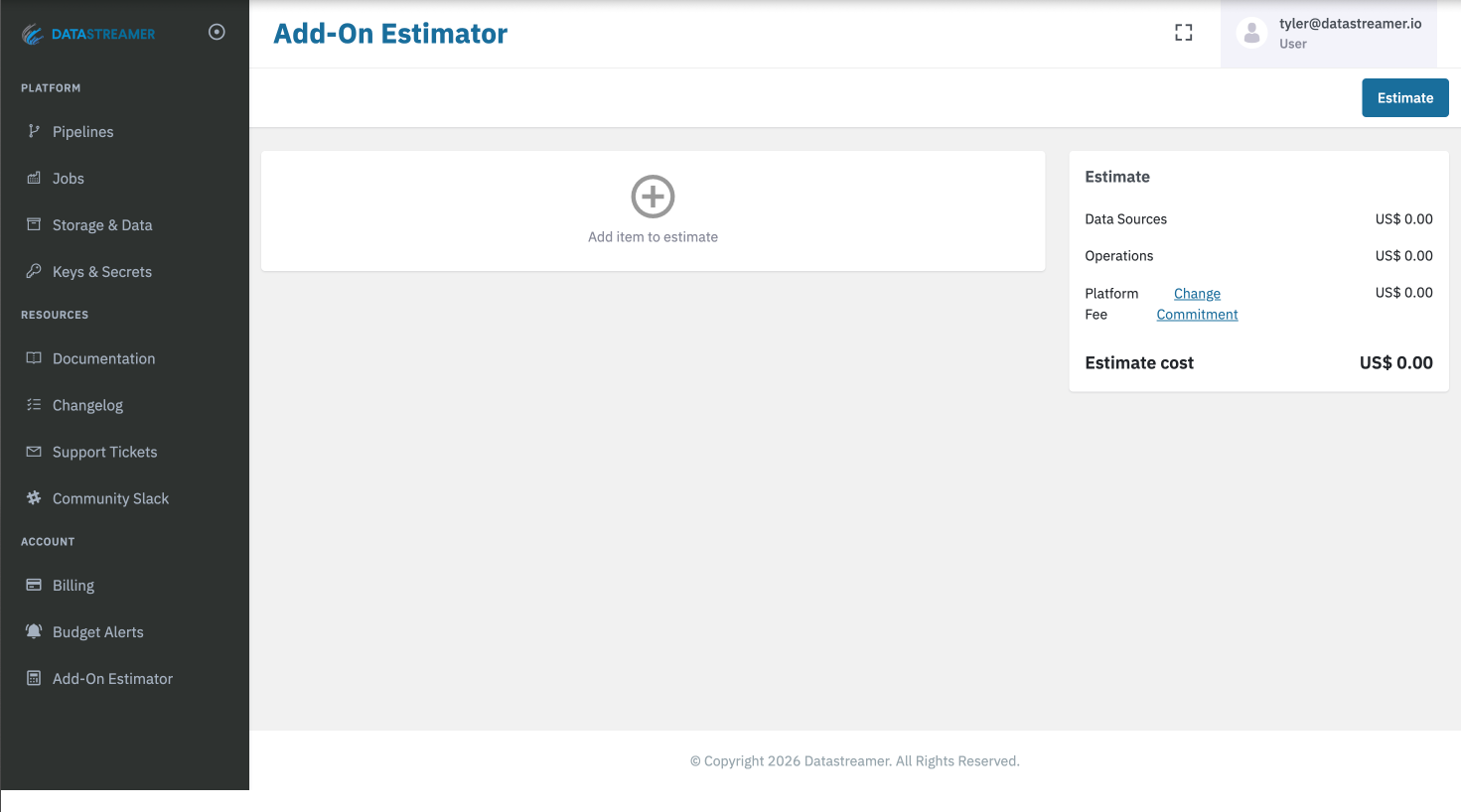
The Pricing Calculator is an estimation tool and does not change you commitments, usage of any features, or billing. It is meant to be an estimation tool for the purpose of exploring future options and roadmap planning.
Tip 5: Leverage Auto Sources Low Entry Point for Testing or Low Volumes
"Auto" source selection is available for many major data categories, and handles the selection and ingestion of web and social data! Selecting "Auto" components offloads to the platform to select the premium 3rd party data source provider best fit for the query, and with the highest reliability based on current demand.
When using "Auto" source selection choosing the right source for the need removes much of the additional processing required to find the correct data
Answering Common Myths
"I need to get my data sources from Datastreamer's ecosystem"
FALSE: Datastreamer's Platform fee is based on the volume of data processed not the data sources. The processing of the data in pipelines (and usage of any in-house classifiers) makes up the platform revenue. Your choice of data providers (and where you procure) is up to you!
"More components = More Cost."
MOSTLY FALSE: Many of the components in the pipeline are provided by Datastreamer and have no additional costs. The exception being the addition of 3rd party offerings to your pipelines.
"I'll need to overlap spend in any migration."
FALSE: As Datastreamer only charges their platform costs based on the volume of data processed, then migration can be done without doubling costs. Many will also use even blend their existing and new pipelines together as part of the migration.
"If I pay for the platform, I get free data."
FALSE: Platform usage and any 3rd party data source providers are separate items. Datastreamer is a data pipeline platform, powering the infrastructure behind ingesting and working with web and social data. Datastreamer is not a data provider, but we work with many of them!
Updated 4 months ago