
Cost Management
Learn how to control costs associated with data collection.
When executing data collection jobs the Datastreamer platform supports limits on spend.
When creating a job in the Datastreamer portal or using the API it is possible to set a maximum either as a dollar amount or a number of DVU's.
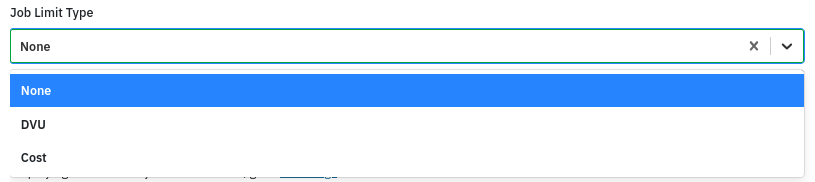
Once selected the limit value can be specified

These limits can be applied on a per execution or per month (for periodic jobs) basis.
Limit Workflow
The Datastreamer limit workflow is as follows.
Estimate the Cost
Before any action that would incur a cost is performed (e.g. document collection), we estimate the "credit" needed. The estimate reflects the maximum number of new documents expected and/or requests made when completing this action.
Check Remaining Limit
The estimated cost is checked against the remaining limit, taking into account both confirmed usage and any costs temporarily reserved for other actions currently being performed for this job. There are 2 outcomes for this:
• Enough remaining limit: The estimated amount is temporarily reserved, and the action continues.
• Insufficient limit: The job is stopped at this point.
Note that a reservation is a temporary hold—not an additional charge. Because the check uses an estimate, the action may be blocked even if its actual cost would have been lower.
Confirm the Actual Cost
After retrieval, limit usage is confirmed based on actions taken which may be lower than the estimated cost. Any unused portion of the reservation becomes available again.
If the action fails, the entire reservation is released and becomes available for use.
Updated about 4 hours ago