
Manage Organization Users
Add and remove users, change roles, manage member scopes, and review membership history
Organization administrators can manage the users who have access to their organization from the Datastreamer Portal.
Requirements
- You must have the Admin role in the selected organization. Users with another role cannot access the Organization Users page.
Open Organization Users
- Sign in to the Datastreamer Portal.
- Select the organization you want to manage.
- Open Organization Users.
The page lists each member's name, email address, and role.
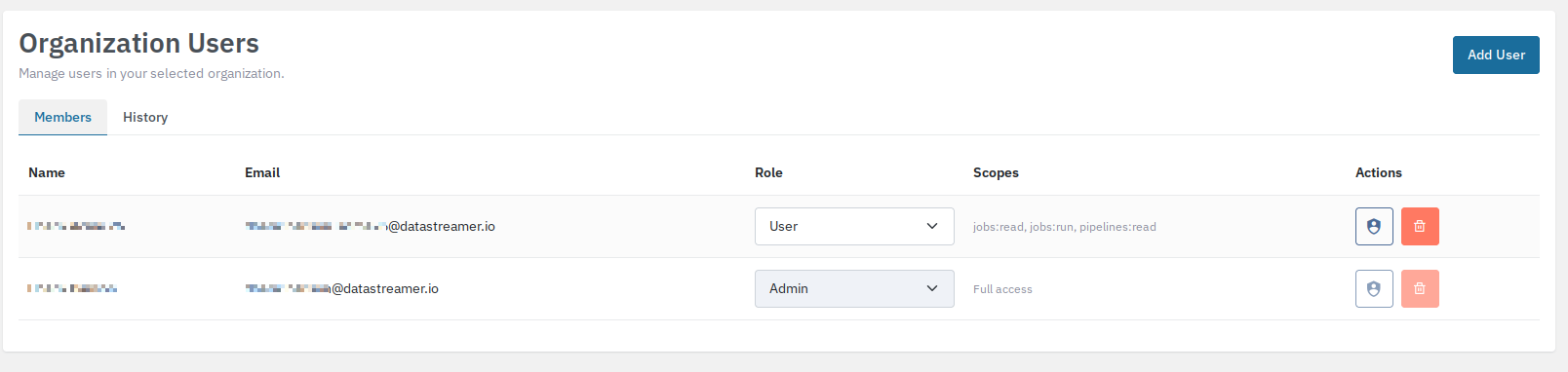
Add a user
- Select Add User.
- Enter the user's email address and leave the field to verify it.
- If the email belongs to an existing account, continue to the role selection.
- If the email is not associated with an existing account, enter the user's name.
- Select a role:
- User — standard organization access.
- Admin — organization administration access, including user management.
- Select Add User.
The new member is added to the currently selected organization.
Change a member's role
- Locate the member in the organization users table.
- Select the role.
- Select User or Admin.
You cannot change your own role.
Manage member scopes
Member scopes let organization administrators control which areas members with the User role can access. Administrators always have full access, and you cannot edit your own scopes.
- Locate the member in the Organization Users table.
- Under Actions, select the shield icon (Edit member scopes).
- Choose an access mode:
- Full access — the member has unrestricted access in the organization.
- Custom defined — choose the specific access levels the member needs.
- Select Save.
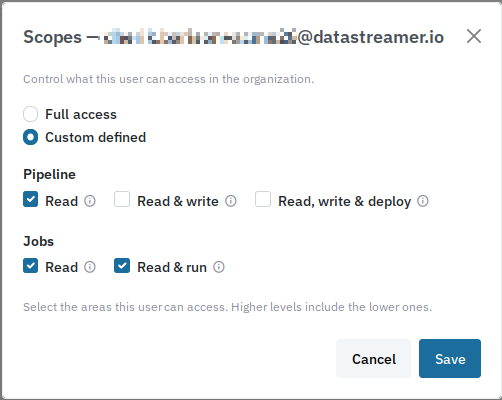
The available custom scopes are:
| Area | Access level | Permissions |
|---|---|---|
| Pipelines | Read | View and export pipelines. |
| Pipelines | Write | Read access, plus create, edit, delete, and import pipelines. |
| Pipelines | Deploy | Read and write access, plus deploy, pause, resume, and shut down pipelines. |
| Jobs | Read | View, search, and export jobs, work items, metrics, issues, and Inspector data. |
| Jobs | Run | Read access, plus create, start, retry, reschedule, and change the state of jobs; upload documents; and replay or delete messages with issues. |
Higher access levels include the lower levels in the same area. For example, Pipelines: Deploy includes Pipelines: Write and Pipelines: Read, and Jobs: Run includes Jobs: Read.
Remove a member
- Locate the member in the organization users table.
- Select the remove action in that member's row.
- Confirm the removal.
Removing a member removes their access to the selected organization. You cannot remove yourself from the organization.
View membership history
Organization administrators can review membership changes for the selected organization:
- Open Organization Users.
- Select History.
Each entry shows the date, affected member, action, change details, and the email address of the person who made the change.
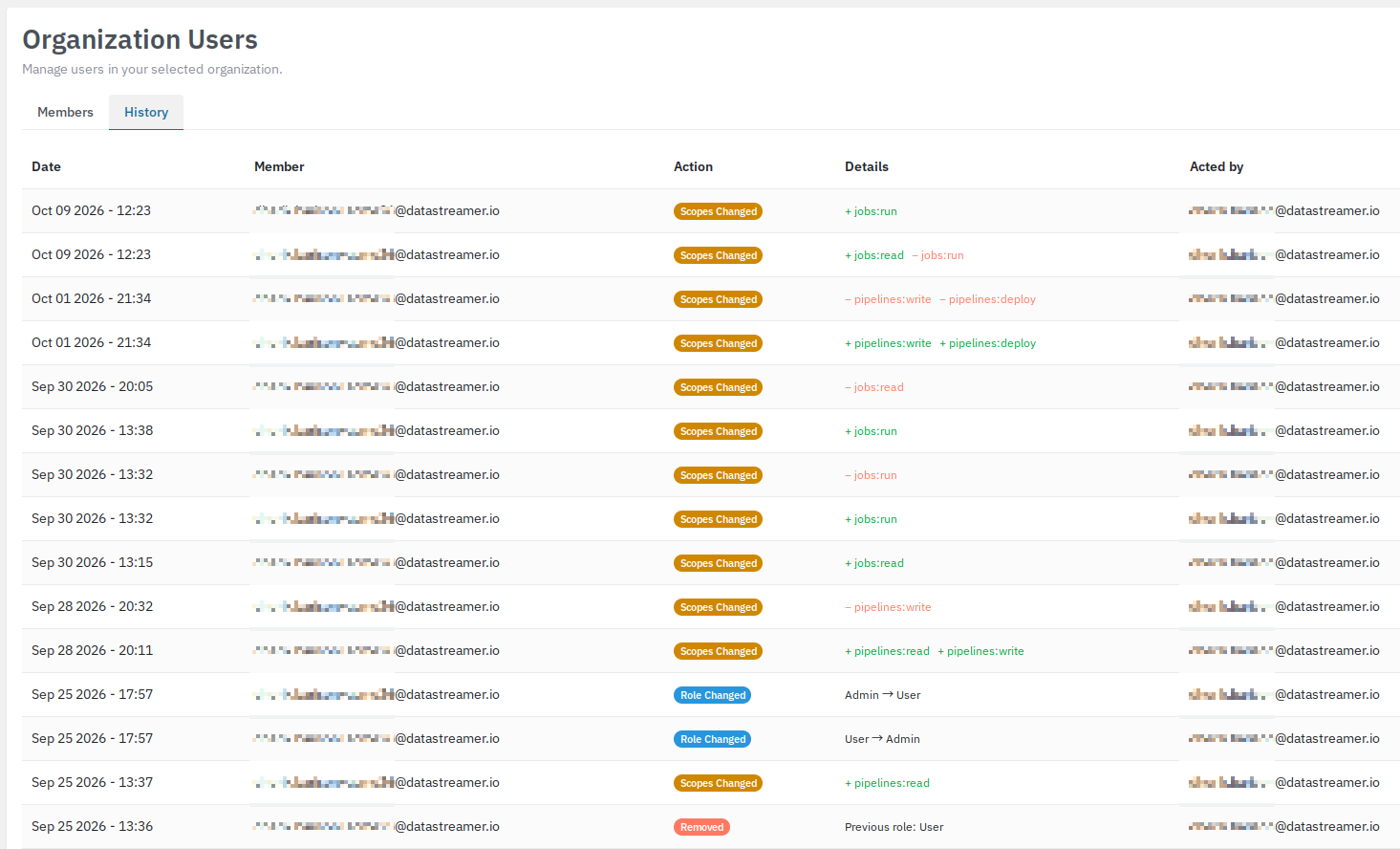
The history records when a member is added or removed, when their role changes, and when their scopes change. Role changes show the previous and new roles. Scope changes show added scopes with a + and removed scopes with a −; if the new scope set is empty, the member now has unrestricted access.
Updated 11 days ago