
Creating Jobs by Importing a Jobs CSV File
This feature enables users to upload a list of jobs using CSV files.
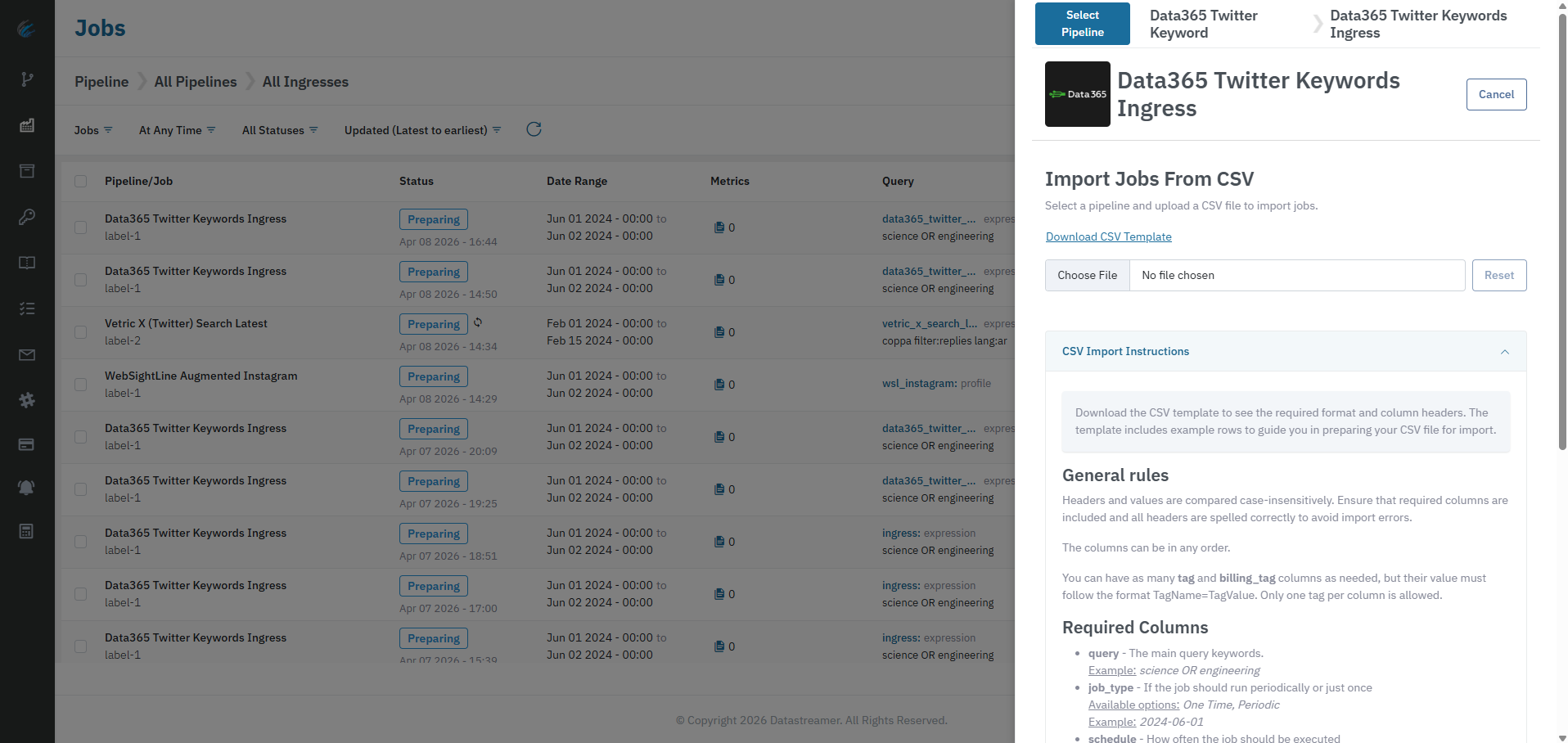
Creating Jobs through CSV imports is the ideal method for mass-import of Jobs. Using the CSV import can create multiple Jobs at the same time, and supports detailed Job specifications.
Best Practices
- Always start from the downloaded template to prevent errors in CSV formatting.
- Test with a small CSV first.
- Keep values consistent across rows, avoiding extra spaces in headers and key values.
Pre-Requisites: Before You Start
- Open Jobs and choose the correct pipeline and step.
- Download the CSV template from the import panel.
- Keep required headers exactly as provided in the template.
Importing Jobs Process
Steps to Import Jobs from CSV
- Open Import Jobs From CSV.
- Click Download CSV Template.
- Fill the CSV file with your job data or use it as example to generate yours.
- Upload the CSV file.
- Review CSV Preview and fix any validation errors.
- Click Confirm and Create Jobs.
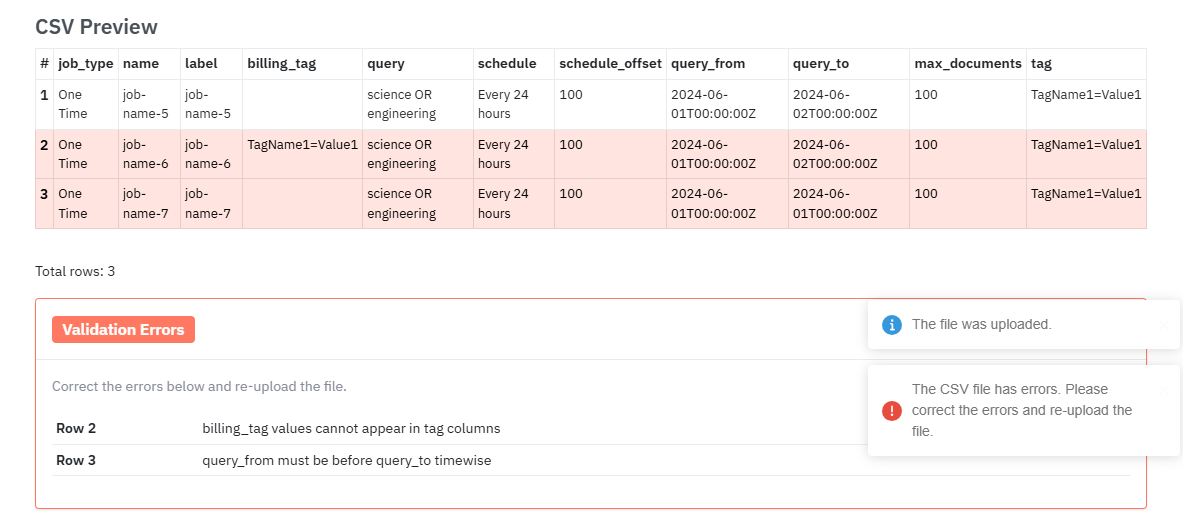
Example of CSV Import Preview with validation errors
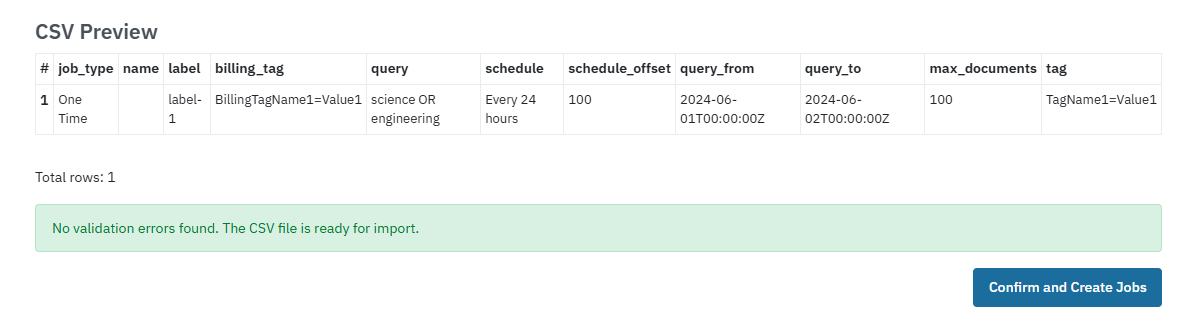
Example of CSV Import Preview with valid data and ready to be uploaded
Validation requirements and behavior for imported CSV
Autogenerated CSV Import Instructions contain important information about required and optional columns/data.
- Read carefully the CSV Import Instructions that are autogenerated. It contains important information about the required and optional columns/data.
- Header matching is case-insensitive.
- Required columns must be present.
- Column order does not matter.
- You can add multiple tag and
billing_tagcolumns.- Each tag cell must use this format:
TagName=TagValue- Only one tag pair is allowed per
tagcolumn.
Resolving validation errors
Note: Validation errors will block all imports
You cannot import any job as long as at least one job has validation errors.
- If the file has errors, they are shown in the Validation Errors panel, you must fix errors and upload again before creating jobs..
Import Result Behavior
- Success:
- A success toast is shown confirming the number of jobs imported.
- The import sidebar closes.
- Jobs list refreshes.
- Failure:
- An error toast is shown
- Validation errors are shown
- No jobs are created
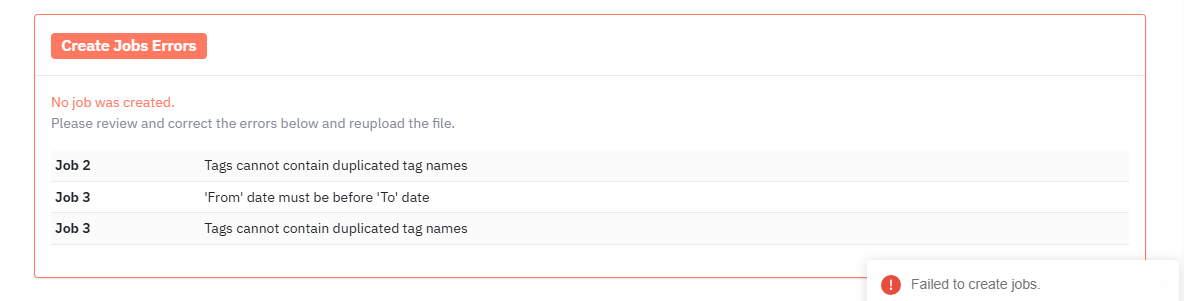
Example of failed jobs upload
Common Errors
- No jobs found to import
- Cause: no valid rows after parsing or empty file.
- CSV parsing errors/validation:
- Cause: wrong data type (using text instead of numbers), duplicated tags, inconsistent column numbers, invalid column headers, date & time format, start date is after end date or identical.
- Failed to create jobs
- Cause: API rejected the payload or server error.
Updated 4 months ago
Did this page help you?